
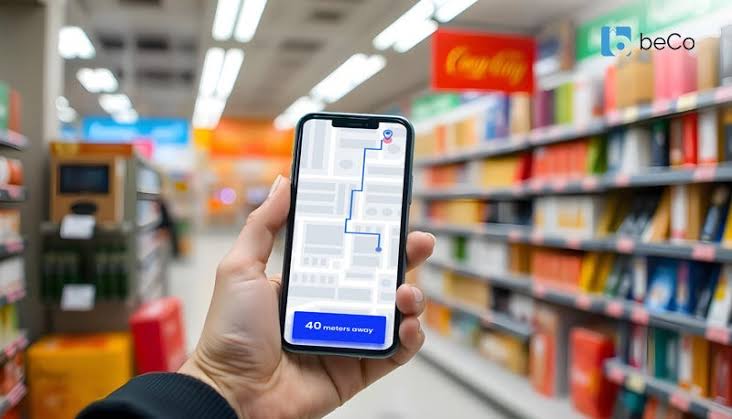
Weak store navigation makes good products difficult to discover. When category names are unclear, menus become overcrowded, filters are inconsistent, or search produces poor results, customers spend more time figuring out the website than evaluating what they want to buy.
Effective navigation should shorten the distance between arrival and product discovery.
Organize Categories Around Customer Language
Internal company terminology doesn’t always match the words shoppers use. Category names should describe recognizable product groups rather than departments, inventory systems, or marketing concepts.
Review search queries and customer questions to learn how shoppers naturally describe products. Those phrases can influence menu labels, filters, and category structures.
Businesses studying broader ecommerce profit topics should consider how product discovery affects the value of existing traffic before spending more money attracting visitors.
Keep the Main Menu Focused
A navigation menu shouldn’t display every possible option at once. Too many choices make scanning slower, especially on mobile devices.
Group related products under clear parent categories and reserve secondary links for submenus or category pages.
Strengthen Search for High-Intent Visitors
Customers who use site search often know what they’re looking for. Search should tolerate common spelling mistakes, recognize product names, and return relevant alternatives when an exact match isn’t available.
Autocomplete can help, but suggestions should stay useful. Showing unrelated products simply because they contain one matching word can make search feel unreliable.
Stores researching customer journey growth topics can learn a lot by examining searches that produce no clicks or no results.
| Navigation Issue | What Shoppers Experience | Useful Improvement |
|---|---|---|
| Vague categories | Uncertainty | Use familiar names |
| Too many menu items | Choice overload | Group related products |
| Weak search | Irrelevant results | Improve matching |
| Poor filters | Slow comparison | Use useful attributes |
Build Filters Around Real Buying Decisions
Filters should reflect characteristics customers use to compare products. Clothing may need size, color, fit, material, and price filters. Electronics may need compatibility, capacity, features, or dimensions.
Avoid adding filters simply because product data exists. A filter that few shoppers understand adds complexity without improving discovery.
Allow customers to combine filters, see which ones are active, and clear individual selections easily.
Connect Discovery With Commercial Performance
Improved navigation can influence more than convenience. Customers who find relevant products faster may compare more confidently and reach checkout with fewer interruptions.
Teams reviewing retail margin thinking should also inspect categories where traffic is strong but product engagement remains weak. The problem may not be pricing or demand. Customers may simply be struggling to locate the right items.
Watch Where People Give Up
Analytics can reveal unusually high exits from category pages, repeated search attempts, or heavy filter use followed by no product clicks.
Combine those signals with customer feedback before reorganizing an entire store.
Common Navigation Mistakes to Avoid
One mistake is building the menu around the company’s organizational structure instead of the customer’s shopping process.
Another is changing category names frequently. Familiarity matters, especially for returning visitors. Improvements should make labels clearer without constantly forcing customers to relearn where products are located.
Stores also sometimes hide important categories to make designs appear cleaner. Minimal design helps only when customers can still find what they came for.
Frequently Asked Questions
How many categories should an online store have?
There isn’t one ideal number. The structure should reflect the product range while keeping top-level categories understandable. Large catalogs usually benefit from broader parent categories with logical subcategories.
Can filters replace good navigation?
No. Filters help customers narrow a product set after reaching a relevant category. They don’t replace clear menus, useful category labels, or accurate search.
How often should store navigation be reviewed?
Review it when the catalog changes significantly and regularly examine search behavior, category exits, customer questions, and unsuccessful searches for signs of confusion.
Make Product Discovery Feel Obvious
Good navigation disappears into the shopping experience because customers don’t need to think about it. Use recognizable categories, reliable search, purposeful filters, and customer behavior data to remove unnecessary decisions.
The faster shoppers can reach relevant products, the more attention they can give to choosing what they actually want.